22 Jun
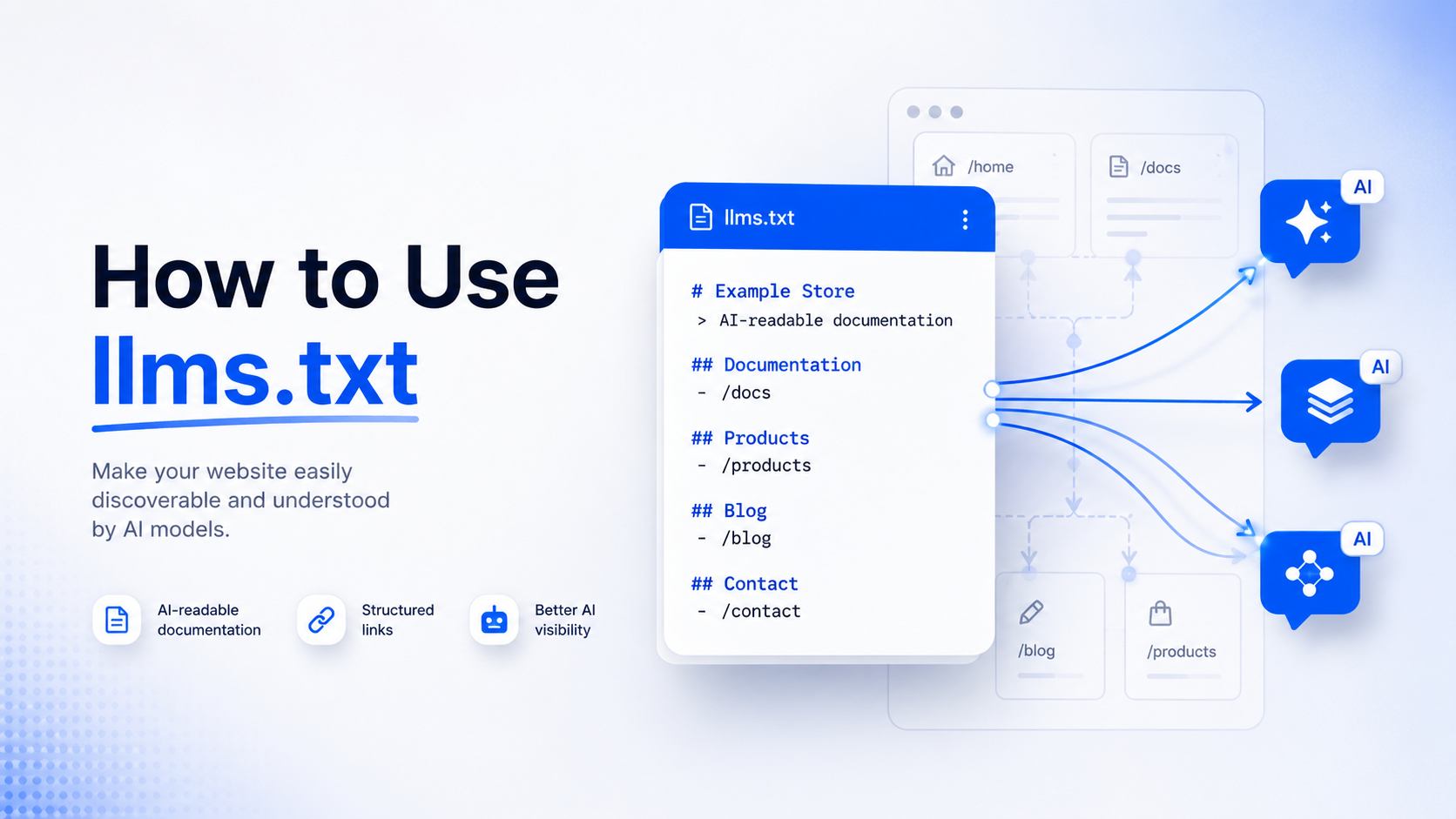
An llms.txt file is a plain Markdown file placed at a website’s root (yoursite.com/llms.txt) that gives AI systems a short, curated summary of a site’s most useful pages, written in a format that is easy for a language model to parse.
As of June 2026, Google has stated directly in its Search Central documentation that it does not use llms.txt files, AI text files, or special Markdown for Google Search rankings, including AI Overviews and AI Mode. The file neither helps nor hurts your position there. Outside of Google, no major consumer AI search product (ChatGPT, Perplexity, Copilot) has confirmed that it reads llms.txt as a citation or ranking signal either. The one place llms.txt shows real, observed use is with AI coding agents and developer tools that pull in documentation context, such as Claude Code, Cursor, and Continue.
What Is llms.txt
llms.txt is a proposed web standard: a Markdown document sitting at the root of a domain that tells AI systems what a site is about and which pages matter most. The llms.txt file spec is for files located in the root path /llms.txt of a website, or optionally in a subpath, and it follows a fixed structure so both humans and machine parsers can read it.
The core problem llms.txt tries to solve is context. Large language models face a critical limitation in that their context windows are too small to handle most websites in their entirety, and converting complex HTML pages full of navigation, ads, and scripts into clean text is both difficult and imprecise. A curated llms.txt file is meant to hand a model the short version instead of making it dig through an entire site.
It is worth being precise about what llms.txt is not. It is not an access control file. It does not contain “allow” or “disallow” directives the way robots.txt does, and it does not control whether your content is used for AI training. Some blog posts describe it that way, but the original specification only defines a title, a summary, optional context paragraphs, and link lists grouped under headings.
Where llms.txt Came From
The llms.txt proposal was published on September 3, 2024, by Jeremy Howard, co-founder of Answer.AI and fast.ai. The idea was simple: instead of letting an AI model guess at a website’s structure by crawling raw HTML, give it a short, expert-written summary up front.
The FastHTML documentation project was an early adopter of the proposal, and the standard has since been picked up by a number of developer-tool and documentation platforms, including Mintlify, Stripe, Cloudflare, Zapier, and Anthropic’s own developer docs.
It is important to flag what this proposal is not. It was not developed jointly with Google, OpenAI, Microsoft, or any standards body such as the W3C or IETF. It is a single-author proposal that has gained voluntary adoption from parts of the developer-tools community, similar in spirit to how early web conventions sometimes spread before becoming formal standards, and sometimes never did.
The Official llms.txt Format
According to the original specification, a valid llms.txt file contains, in this exact order:
- An optional byte order mark
- An H1 heading with the site or project name. This is the only required section.
- A blockquote with a short summary of the site
- Zero or more plain Markdown sections with extra context, written as paragraphs or lists, not headings
- Zero or more sections marked with H2 headings, each containing a Markdown list of links in the format [name](url): optional notes
One section name carries special meaning: a heading called “Optional” tells a consuming model that the links underneath it can be skipped if it needs a shorter context window.
Here is a simplified, original example for a fictional documentation site:
# Acme Docs
> Acme Docs covers the Acme API, SDKs, and integration guides for developers building on the Acme platform.
Acme is a payments API. It is not a full accounting suite and does not handle tax filing.
## Guides
– [Quickstart](https://docs.acme.com/quickstart.md): Get an API key and make your first call
– [Authentication](https://docs.acme.com/auth.md): How API keys and webhook signing work
## Reference
– [API Reference](https://docs.acme.com/api-reference.md): Full endpoint documentation
## Optional
– [Changelog](https://docs.acme.com/changelog.md): Version history, safe to skip for most questions
The specification also suggests a companion practice: publishing a clean .md version of any page at the same URL with .md appended, so a model can fetch plain text instead of parsing full HTML. Some sites go further and publish a single, larger llms-full.txt file that flattens an entire documentation set into one document, though the official spec treats llms.txt itself as a curated index, not a content dump.
llms.txt vs robots.txt vs sitemap.xml vs ai.txt
|
File |
Purpose | Format | Official Status |
Who Actually Uses It |
| robots.txt | Tells automated crawlers which URLs they may or may not request | Plain text, fixed syntax | Formal internet standard (RFC 9309) | Google, Bing, OpenAI, Anthropic, Perplexity, and effectively all major crawlers |
| sitemap.xml | Lists all indexable pages on a site for search engines | XML | Long standing, widely supported convention | All major search engines for discovery and indexing |
| llms.txt | Gives AI systems a short, curated summary of a site’s most useful pages | Markdown | Single author proposal (Jeremy Howard, September 2024), not adopted as a formal standard by any major platform | Some AI coding agents and developer tool platforms; not confirmed for Google Search, ChatGPT, or Copilot |
| ai.txt | Signals permissions around AI training, summarization, or commercial use of content | Plain text, varies by implementer | No single agreed specification; multiple unrelated proposals share the name | Inconsistent; not a unified standard |
The practical distinction that matters most: robots.txt and sitemap.xml have broad, confirmed support across every major search and AI crawler operator. llms.txt and ai.txt do not have that same confirmed, cross-platform support as of mid-2026.
Will an llms.txt File Help Your SEO
This is the question most people searching for llms.txt actually want answered, so here are the verified facts, separated clearly from opinion.
Google published a new documentation page in May 2026 titled “Optimizing your website for generative AI features on Google Search,” which includes a section explicitly naming tactics site owners can ignore, including llms.txt, content chunking, AI-specific rewriting, and special schema.
In June 2026, Google added further clarification to that guidance under the heading “Clarifying guidance on llms.txt files,” stating that these files are not needed for Google Search and create neither a positive nor a negative visibility effect. Google confirmed on June 15, 2026, that llms.txt files do not influence Google Search rankings.
Google’s position covers AI Overviews and AI Mode as well as classic search. Google’s updated guide states that you do not need to create new machine readable files, AI text files, markup, or Markdown to appear in Google Search, including its generative AI capabilities, because Google Search itself does not use them.
This is not the only place Google’s name shows up next to llms.txt, which is where some of the public confusion started. Chrome’s Lighthouse tool added an “Agentic Browsing” audit category that checks whether a site provides an llms.txt file. That audit exists to help AI browsing agents navigate a site more efficiently, a separate concern from Google Search ranking, and it is run by a different team than Google’s Search ranking systems. The two pieces of documentation are not contradictory once you separate “helps an AI agent browse your page” from “helps you rank in Google Search.”
How to Get Indexed by an LLM Through llms.txt
This phrase gets searched a lot, but it rests on a misunderstanding worth clearing up directly.
llms.txt does not control whether your content becomes part of a model’s training data. That is governed separately, through robots.txt directives aimed at specific training crawlers such as GPTBot, ClaudeBot, CCBot, and the Google-Extended token. If you want to opt in or out of AI training, robots.txt is the actual lever, not llms.txt.
llms.txt also does not guarantee your pages will be cited in a chatbot’s answer. Citation in tools like ChatGPT or Perplexity depends on their own search and retrieval crawlers, such as OAI-SearchBot and PerplexityBot, discovering and indexing your content, plus the usual factors: clear, well-structured, genuinely useful writing that directly answers a question.
What llms.txt does do, where it is actually used, is help specific AI agents and developer tools retrieve curated context about your site at the moment they need it. This is most relevant if you run developer documentation, an API, or an SDK, since tools like Claude Code, Cursor, and Continue can fetch your llms.txt to understand your project faster when a developer is working with your library. For a typical marketing, ecommerce, or content site, this use case mostly does not apply.
How to Use llms.txt: Step by Step Setup
- Decide the scope. Choose whether the file should represent your entire site or one section, such as developer documentation. Most of the demonstrated value sits with documentation and API sites.
- Pick your best 10 to 30 pages. llms.txt is a curation tool, not a full site export. Listing every page defeats the purpose and adds noise instead of clarity.
- Write the required H1. Use your site or project name as a single top-level heading. This is the only mandatory part of the spec.
- Add a blockquote summary. In one or two sentences, state what the site or project is, written as a quote block directly under the H1.
- Add optional context paragraphs. Note anything a model might otherwise get wrong, such as what your product is not, or which frameworks it is incompatible with.
- Group links under H2 headings. Organize your chosen pages into a small number of categories (for example, Guides, Reference, Examples), with each link written as [Title](URL): short description.
- Add an Optional section if useful. Put secondary links here so a model with a small context window knows it can skip them.
- Save the file as plain UTF-8 text named exactly llms.txt. Any standard text editor works: VS Code, Sublime Text, or a plain Markdown editor.
- Upload it to your site’s root. It needs to load at https://yoursite.com/llms.txt, not in a subfolder, using your hosting file manager, FTP, or a CMS plugin if your platform supports one.
- Verify it loads correctly. Visit the URL directly in a browser. You should see raw Markdown text, not a 404 page.
- Validate the structure. Run it through a free llms.txt checker tool to confirm the H1, blockquote, and link list formatting are valid.
- Review it on a schedule. Update it when you add major new content and remove links to pages that no longer exist. A stale or broken llms.txt looks worse than not having one at all.
How to See the llms.txt File of a Website
There are a few straightforward ways to check whether a website publishes one.
- Manual method. Add /llms.txt to the root domain in your browser’s address bar, for example example.com/llms.txt. If the file exists, you will see plain Markdown text. If it does not, you will get a 404 error. This works for any site and requires no tools.
- Browser extensions. Several free Chrome extensions automatically check the current site for an llms.txt (and the larger llms-full.txt) and show a status badge as you browse.
- Online checker tools. Free web based checkers let you paste in a domain and instantly see whether the file exists, along with basic format validation.
- Public directories. Community maintained directories list known llms.txt files across the web, useful for browsing examples rather than checking one specific site.
Keep in mind that most websites still do not have an llms.txt file, so expect 404 results on the majority of domains you check.
Real World Examples
A number of developer-tool and documentation focused companies publish llms.txt files, generally for their docs rather than their full marketing site. Examples reported across multiple sources include Anthropic’s developer documentation, Stripe, Cloudflare, Zapier, CircleCI, and documentation platforms like Mintlify, which automatically generates and hosts an llms.txt for any project built on it. Mintlify’s generated file lists a site title as an H1, a description sourced from the site’s configuration, and structured content sections with links and page descriptions, ordered alphabetically based on the underlying documentation structure.
The pattern across these examples is consistent: companies with technical documentation that developers and AI coding agents actually consume in real time are the ones getting practical use out of the format. General content and ecommerce sites publishing one are, at this point, mostly doing so speculatively.
Common Mistakes to Avoid
- Auto-generating it from your sitemap. A file that is just your entire URL list reformatted as bullet points defeats the purpose of curation and is exactly the kind of low-value file Google’s 2026 guidance pushes back on.
- Treating it as a ranking tactic. Based on Google’s own documentation, time spent on llms.txt instead of core content quality and technical SEO is time spent on something with no confirmed Search ranking effect.
- Confusing it with robots.txt. llms.txt does not block or allow crawler access. If your goal is controlling which AI bots can crawl or train on your content, robots.txt is the correct tool.
- Letting it go stale. Dead links and outdated descriptions signal poor maintenance to anything that does read the file.
- Skipping the required H1 or blockquote. This breaks the format that validators and parsers expect.
- Writing it for search engines instead of for the model. The file should read like a concise internal reference document, not keyword-stuffed marketing copy.
Frequently Asked Questions
Will an llms.txt file help your SEO?
No, based on Google’s own June 2026 documentation. Google has stated directly that llms.txt files do not affect Google Search rankings, including AI Overviews and AI Mode, in either direction. No other major consumer AI search platform has confirmed it as a ranking or citation factor either.
How do I get indexed by an LLM through an llms.txt file?
You generally cannot, in the way that phrase implies. llms.txt does not control AI training inclusion (robots.txt does that) and does not guarantee citation in chat answers (that depends on each platform’s own search and retrieval crawlers). Its confirmed use is helping certain AI coding agents and dev tools retrieve documentation context at the moment a developer needs it.
How do I use llms.txt?
Create a plain Markdown file with a required H1 title, a blockquote summary, optional context paragraphs, and link lists grouped under H2 headings. Save it as llms.txt and upload it to your site’s root so it loads at yoursite.com/llms.txt.
How can I see the llms.txt file of a website?
Add /llms.txt to the end of the domain in your browser, for example example.com/llms.txt. You can also use a free browser extension or online checker tool to confirm whether a file exists without typing the URL manually.
Does Google use llms.txt for ranking?
No. Google’s official Search Central documentation, updated in May and June 2026, states that Google Search does not use AI text files, special markup, or Markdown files like llms.txt for ranking, including its generative AI features.
Conclusion
While llms.txt is an interesting addition for AI-friendly documentation, it is not a ranking factor or shortcut to better visibility in Google Search or AI results. For most websites, investing in strong technical SEO, quality content, and structured data will deliver far greater long-term value than relying on llms.txt alone.

Artzen is a performance-driven agency specializing in ecommerce SEO services in India. Backed by years of industry experience and a team of certified, highly skilled SEO specialists, we implement strategies with precision and measurable growth. We prioritize our clients at every stage, delivering results that exceed customer expectations.