12 Mar
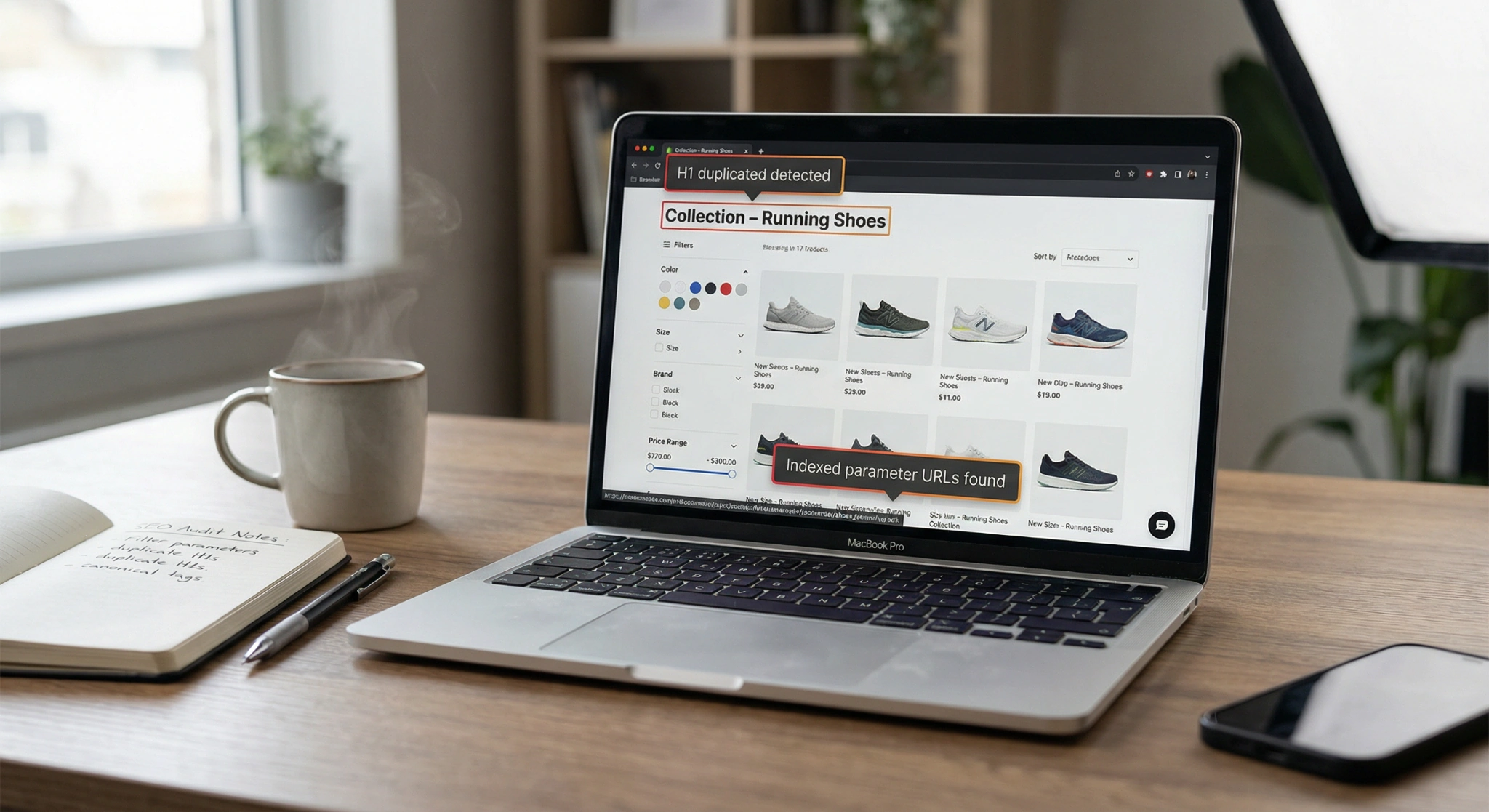
If you’re searching for a Shopify collection filter seo duplicate h1 fix, you’re likely seeing SEO tools flag “Duplicate H1” or “Multiple H1s” across filtered collection URLs. That usually happens when faceted navigation (filters + sorting) generates many URL variations, and your theme prints headings more than once.
The good news: you can fix duplicate H1s without removing filters. Moreover, you can reduce index bloat by tightening canonicals, adding selective noindex rules, and controlling crawl paths.
Why Shopify collection filters create duplicate H1 problems
Shopify Online Store 2.0 filters often add URL parameters, for example:
- ?filter.v.option.color=Black
- ?filter.p.product_type=Boots
- ?sort_by=price-ascending
Meanwhile, most themes render the collection title in a section like main-collection-banner.liquid. Then, they also render another H1 inside:
- the product grid header,
- the “active facets” summary,
- or a snippet that was copied from a page template.
As a result, you get two H1 tags on the same page, or the same H1 repeated across parameter URLs. Either can trigger “duplicate H1” warnings.
Can duplicate H1 tags hurt SEO?
Yes, they can. Google can still rank pages with multiple H1s. However, duplicate H1s often correlate with bigger issues, such as:
- unclear page hierarchy (weak on-page signals)
- keyword cannibalization between similar collection URLs
- index bloat from faceted URLs
- diluted internal linking value
Google’s own guidance focuses on clear structure and helpful content, not tricks. Still, clean heading structure improves consistency and reduces audit errors. See Google Search Central documentation on SEO fundamentals and site structure
Step 1: Confirm the issue don’t guess
Before you edit code, confirm whether this is truly a “duplicate H1” or a “multiple H1” problem.
Quick checks
- View source on a filtered collection URL and search for <h1.
- Chrome DevTools → Elements → search h1.
- Screaming Frog (H1 report) to find patterns across many URLs.
- Ahrefs / Site Audit to see if the issue clusters around ?filter. URLs.
If your tool reports duplicates across many parameter pages, you likely need a two-part solution:
- a heading fix (on-page HTML)
- an indexing fix (canonicals/noindex/robots)
Step 2: The most common Shopify duplicate H1 root causes
In Shopify 2.0 themes, collection pages are usually built from sections. Start here:
- sections/main-collection-banner.liquid
- sections/main-collection-product-grid.liquid
- snippets/facets.liquid or snippets/active-facets.liquid
What you want
- Exactly one <h1> for the collection page.
- Filter labels and “selected filters” text should use <p>, <span>, or an <h2>/<h3> depending on layout.
Step 3: Shopify collection filter SEO duplicate H1 fix Liquid edits
Below are practical fixes that work in most themes. Always duplicate your theme first.
Fix A: Ensure only the collection title is H1
In main-collection-banner.liquid (or similar), keep this:
liquid
<h1 class=”collection-title”>
{{ collection.title | escape }}
</h1>
Then, find any other headings that render above the grid, especially in filter UI snippets, and change extra H1s to a non-H1 element.
For example, change:
Liquid
<h1 class=”active-facets-title”>Selected filters</h1>
to:
Liquid
<p class=”active-facets-title”>Selected filters</p>
Or, if it’s a real subheading for accessibility, use:
Liquid
<h2 class=”active-facets-title”>Selected filters</h2>
This single change often resolves the entire “duplicate H1” cluster.
Fix B: If your theme prints H1 twice remove one
Some themes print a second H1 in the product grid header. In main-collection-product-grid.liquid, look for h1 and replace it with div or h2.
Example:
Liquid
{%- comment -%} Replace this duplicate H1 {%- endcomment -%}
<h1>{{ collection.title }}</h1>
{%- comment -%} With this {%- endcomment -%}
<h2 class=”collection-title–secondary”>{{ collection.title }}</h2>
Step 4: Should Shopify collection filter pages be indexed?
In most stores, no.
You want Google to index:
- the main collection URL (clean, stable)
- a small set of curated SEO landing pages (if needed)
You usually do not want Google indexing:
- every filter combination
- every sort order
- every pagination state tied to filter parameters
Why? Because faceted navigation can create exponential URL growth. That wastes crawl budget and can cause ranking instability.
Ahrefs explains this risk clearly in their faceted navigation discussions and crawl waste topic (reference for concept and best practices)
Step 5: Canonical tags for filtered collection URLs
First, check what Shopify outputs
Most themes include a canonical in theme.liquid like:
Liquid
<link rel=”canonical” href=”{{ canonical_url }}”>
The key SEO goal
For filtered URLs, you typically want the canonical to point to the base collection URL, not the parameter variant.
If your canonical includes filter parameters, consider setting a collection-specific canonical inside the collection template/section:
Liquid
{%- if request.page_type == ‘collection’ -%}
<link rel=”canonical” href=”{{ shop.url }}{{ collection.url }}”>
{%- endif -%}
Use this carefully. If you intentionally want some filtered pages indexed, you should not canonical them away.
Step 6: Stop Google from indexing filter URLs
A canonical alone does not guarantee deindexing. Therefore, many Shopify stores use noindex,follow for filter and sort URLs.
Add conditional noindex for filter/sort parameter URLs
In theme.liquid inside <head>, add:
Liquid
{%- assign qs = request.query_string | downcase -%}
{%- if qs contains ‘filter.’ or qs contains ‘sort_by=’ -%}
<meta name=”robots” content=”noindex,follow”>
{%- endif -%}
This is a practical Shopify collection filter seo duplicate h1 fix companion step, because it reduces the number of low-value URLs Google evaluates.
Google’s meta robots documentation
Block patterns in robots.txt.liquid
Shopify supports editing robots via robots.txt.liquid. Shopify reference
Example rules (use with care):
txt
User-agent: *
Disallow: /*?*filter.
Disallow: /*?*sort_by=
Robots.txt reduces crawling, not indexing by itself. However, it can improve crawl efficiency when paired with canonicals and noindex.
Step 7: Tags vs filters in Shopify
Here’s a quick comparison you can use to decide your approach:
| Feature | Shopify Tags | Shopify 2.0 Filters |
| URL format | /collections/shoes/red | /collections/shoes?filter.v.option.color=red |
| Crawl risk | Medium (still combinable) | High (easy to explode combinations) |
| Canonical handling | Easier to standardize | Needs careful rules |
| Best use | Small controlled navigation | UX filtering, not SEO landing pages |
If you need SEO pages for “Black Boots” or “Waterproof Jackets,” build dedicated collections or landing pages, then link them internally. That gives you stable URLs and better content depth.
Step 8: A practical audit checklist
After you ship your Shopify collection filter seo duplicate h1 fix, validate with:
- Screaming Frog: confirm each collection URL has exactly one H1
- Google Search Console: monitor “Indexed, not submitted” and parameter URLs
- Site: query sampling: check if filter URLs still appear in SERPs
- Logically review internal links: ensure navigation points to canonical collection URLs
If you want a second set of eyes, Artzen’s technical SEO team can audit your Shopify faceted navigation, heading structure, and index bloat patterns.
Best practices for Shopify faceted navigation SEO
To outperform competing guides, focus on the architecture, not only the code:
- Keep one primary H1 per collection page.
- Canonicalize parameter pages to the base collection when they add no unique value.
- Use noindex,follow for filter/sort URLs in most catalogs.
- Reduce crawl traps: avoid linking to endless combinations from indexable pages.
- Create curated SEO collections for high-intent facets.
- Add meaningful copy to collections (above or below product grid) to improve relevance.
Search Engine Journal often highlights that crawl efficiency and index quality matter more than “perfect” HTML. Use that lens when deciding what to index.
FAQ
How do I fix duplicate H1 tags in Shopify?
First, find every <h1> on your collection template (often main-collection-banner.liquid and filter snippets). Keep only the collection title as <h1>. Then, change extra H1s to <h2> or <p>. Finally, re-crawl the site to confirm one H1 per URL.
Should Shopify collection filters be indexed?
Usually, no. Filter URLs can generate thousands of thin pages via URL parameters. That creates index bloat and wastes crawl budget. Instead, index the base collection and create a small set of curated SEO landing pages for top facets that deserve rankings.
How do you add a canonical tag to a Shopify collection filter?
Most themes output <link rel=”canonical” href=”{{ canonical_url }}”>. If filter URLs keep parameters in the canonical, set a collection-level canonical in the collection template: <link rel=”canonical” href=”{{ shop.url }}{{ collection.url }}”>. Test carefully if you want any filtered pages indexed.
How to stop Google from indexing Shopify filter pages?
Add a conditional meta robots tag for filter/sort URLs, such as noindex,follow when the query string contains filter. or sort_by=. Also reduce crawling with robots.txt.liquid patterns. Then monitor Google Search Console to confirm parameter URLs drop from indexing.
Can duplicate H1 tags hurt SEO?
They can. Multiple or duplicate H1s weaken page hierarchy and can confuse on-page relevance signals. The bigger issue is that duplicate H1s often appear on low-value parameter pages, which increases keyword cannibalization and index bloat. Fixing headings plus indexing rules is the best approach.
How to audit duplicate H1s on Shopify?
Use Screaming Frog’s H1 report to find pages with multiple H1s at scale. Then spot-check templates in Shopify theme files. In addition, use Google Search Console to identify which parameter URLs Google crawls and indexes, so you can target the real problem areas.