09 Mar
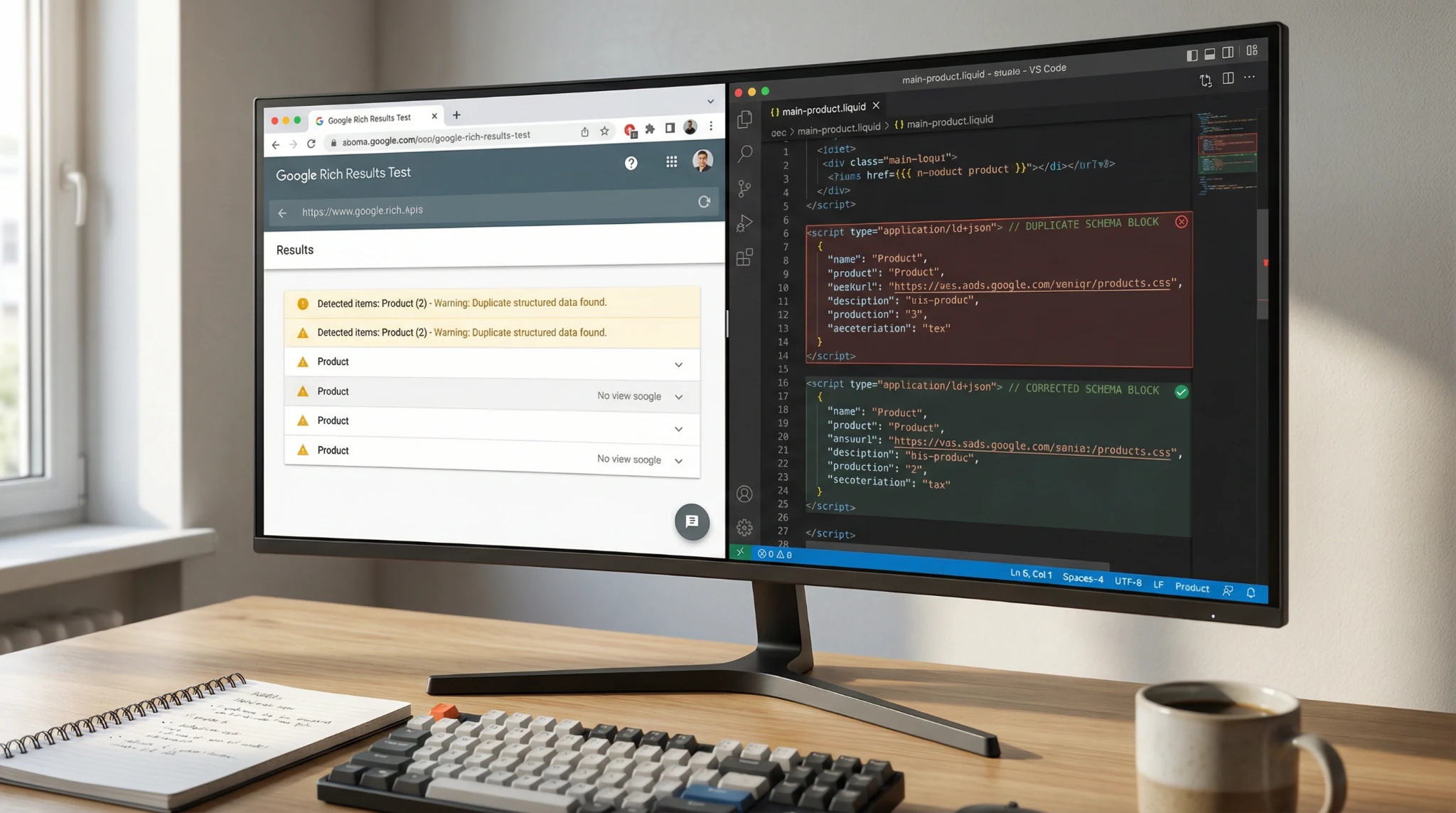
Remove duplicate product schema Shopify errors usually show up right after a theme change, an SEO app install, or adding a reviews app. As a result, Google may detect two (or more) Product entities on one product URL and show “Multiple items detected” in Search Console.
In this guide, you’ll find the duplicate source fast, remove the extra markup safely, and confirm the fix with Google’s testing tools without breaking your theme.
Why Shopify stores end up with duplicate Product schema
Duplicate structured data is rarely “random.” Instead, it comes from two systems outputting similar Product markup at the same time.
The most common conflict: theme schema vs SEO/reviews apps
Most modern Shopify themes output Product schema automatically. Many apps do too.
Typical combinations that create duplicates:
- A theme outputs JSON-LD in a product section file (Online Store 2.0).
- A reviews app injects aggregateRating and review schema.
- An SEO app injects a full @type: Product block again.
Because Google expects a clear, unambiguous entity per page, you can trigger warnings in the Search Console Enhancements reports. Google documents structured data and rich result requirements.
What Google means by “Multiple items detected”
When Google says “multiple items detected,” it typically means:
- It found more than one Product item on the same URL, or
- It found Product markup plus nested Product markup, or
- It found duplicate properties across separate Product nodes (for example, two offers blocks).
You can still rank, however this can reduce rich result eligibility or cause unstable snippets. Therefore, it’s worth fixing.
Step 1: Confirm the duplicate schema Before you edit code
Use Google’s Rich Results Test
- Open Google’s Rich Results Test
- Paste a live product URL.
- Review Detected items and expand each Product.
Next, look for clues:
- Two separate “Product” items
- One Product with incomplete fields, and another Product with ratings/pricing
- Duplicate offers, brand, price, or aggregateRating
Use Schema Markup Validator to see everything
Google’s Rich Results Test focuses on rich result features. For a full schema view, also use Schema.org’s validator:
This helps you spot Microdata (itemtype/itemprop) that a theme may output, even when an app outputs JSON-LD.
Step 2: Identify where the extra Product schema comes from in Shopify
Now you need the exact source. In most Shopify builds, it’s either (1) theme code or (2) app injections.
Check page source for JSON-LD and Microdata
Open your product page in Chrome, then:
- Right-click → View page source
- Search (Ctrl+F / Cmd+F) for:
- application/ld+json
- @type”:”Product”
- schema.org/Product
- aggregateRating
- itemtype=”https://schema.org/Product” (Microdata)
If you see multiple JSON-LD scripts containing Product, you’ve found the issue.
Where the schema usually lives in?
In OS 2.0, Product schema commonly appears in:
- sections/main-product.liquid
- snippets/ files included by that section
- sometimes layout/theme.liquid for global structured data
If your theme still uses older templates, also check:
- templates/product.liquid
- sections/product-template.liquid
Shopify explains theme code editing basics here: https://help.shopify.com/en/manual/online-store/themes/theme-structure/extend
Step 3: Choose ONE “source of truth” for Product schema
To remove duplicate product schema Shopify issues long term, decide what should generate the final Product entity.
Option A : keep the theme’s Product JSON-LD
Choose this if:
- You use a reputable OS 2.0 theme with clean schema
- You only need basic Product rich results (price, availability)
Then you disable Product schema output from SEO apps or review apps.
Option B: keep your SEO app schema
Choose this if:
- The app outputs complete identifiers (GTIN/MPN), shipping details, or advanced Offer logic
- The theme schema is outdated, duplicated, or missing key fields
Then you remove schema from the theme.
Either way, the goal is the same: one Product entity per product URL.
Step 4: Remove duplicate schema safely
Safeguard first: duplicate your theme
In Shopify Admin:
Online Store → Themes → … → Duplicate
Next, edit the duplicated theme. This keeps rollback simple.
Remove theme Product JSON-LD (common fix)
Go to:
Online Store → Themes → Edit code → sections/main-product.liquid
Search for a block that looks like:
liquid
<script type=”application/ld+json”>
{ “@context”: “https://schema.org”, “@type”: “Product”, … }
</script>
Then either:
- Remove it completely, or
- Wrap it in a condition so it doesn’t render.
For example, you can disable it temporarily:
liquid
{% comment %} Disabled to prevent duplicate Product schema {% endcomment %}
{%- comment -%}
…JSON-LD block here…
{%- endcomment -%}
After that, save and retest the live URL.
Remove Microdata if your theme outputs it
If you see markup like:
- itemscope
- itemtype=”https://schema.org/Product”
- itemprop=”name”
You must remove or refactor it, because it can create a second Product item. In that case, keep JSON-LD and remove Microdata attributes where they appear in product title, price, and description blocks.
Remove schema from review apps
Review apps often inject:
- aggregateRating
- review
If your theme already includes rating fields or your SEO app does, you’ll get duplicates.
First, check the app settings for “Structured data” toggles. Many apps let you disable schema output without code changes.
If you still see duplicates, search theme code for app snippets, for example in:
- theme.liquid
- main-product.liquid
- snippets/
Then remove the snippet include (only if the app’s docs confirm it’s safe).
Step 5: Retest, reindex, and monitor Search Console
Because schema issues are easy to reintroduce, retest in this order:
- Rich Results Test
- Schema Markup Validator
- Google Search Console Enhancements report
Request indexing to speed up recrawl
In Google Search Console, use URL Inspection → Request indexing. Google explains URL Inspection.
Even so, enhancements reports can take days or weeks to fully refresh. Therefore, keep a changelog and monitor trends, not just one-day snapshots.
Best practices to prevent duplicate Product schema in Shopify
Keep Product schema “single and complete”
Aim for one Product entity that includes:
- name, image, description
- sku and brand (and GTIN/MPN if you have them)
- one offers object (or a clean offers array for variants)
- aggregateRating only once (if you display reviews)
Schema reference: https://schema.org/Product
Avoid stacking multiple SEO apps for schema
If two apps both claim “rich snippets,” they can both output Product JSON-LD. As a result, duplicates return after the next update.
Document your decision
Write down:
- Which system controls Product schema (theme vs app)
- Where that code lives (file path)
- Which app schema settings are disabled
If you want a second set of eyes, run a structured data audit as part of a technical SEO review. You can start at https://artzen.io/ and map schema issues alongside indexation and crawl signals.
Conclusion
Duplicate product schema is a common Shopify issue, especially after adding a new theme, SEO app, or review app. The good news is you can fix it without guessing. First, confirm the problem with Google’s testing tools, then choose one trusted source for your product details, and remove the extra markup. After that, retest and request indexing so Google updates faster. If you’d rather not touch code, a professional SEO audit can handle it safely and correctly.
FAQ Section
Why does Google say I have two product schemas?
Google detects two Product entities when both your theme and an app output Product markup. For example, your theme may output JSON-LD, while a reviews app injects another Product with aggregateRating. Use Rich Results Test to confirm how many Product items Google sees.
Can I have multiple product schemas on one page?
You can, but it’s risky for product pages. If Google sees multiple Product entities on a single URL, it may flag “Multiple items detected” and ignore one of them. In most Shopify stores, one clear Product entity per product URL performs best.
Where is the JSON-LD code in Shopify Dawn theme?
In Dawn (Online Store 2.0), Product JSON-LD is usually inside sections/main-product.liquid or a snippet that file includes. Search your theme code for application/ld+json or @type”:”Product” to find the exact block before editing.
How do I remove schema from Shopify review apps like Judge.me or Loox?
Start in the app settings and disable “structured data” or “rich snippets” output if available. If duplicates remain, check theme.liquid and main-product.liquid for app snippet includes. Then remove only the schema-related snippet, based on the app’s documentation.
Will duplicate schema hurt my Shopify SEO rankings?
Duplicate schema usually doesn’t cause a direct ranking penalty. However, it can break rich results eligibility or create unstable snippets, which can reduce click-through rate. Because rich snippets influence visibility, cleaning duplicates is a practical SEO win.
How long does Google take to update rich results after a fix?
After you fix duplicate Product schema, Google must recrawl and reprocess the page. That can take a few days, and Search Console enhancements can lag longer. Request indexing in URL Inspection to speed up discovery, then monitor the Enhancements report over time.
Is JSON-LD better than Microdata for Shopify?
JSON-LD is usually easier to manage because it lives in one script block and doesn’t require itemprop attributes across HTML. Microdata can accidentally duplicate entities when apps also inject JSON-LD. For Shopify, keeping one clean JSON-LD Product is often the simplest approach.