13 Mar
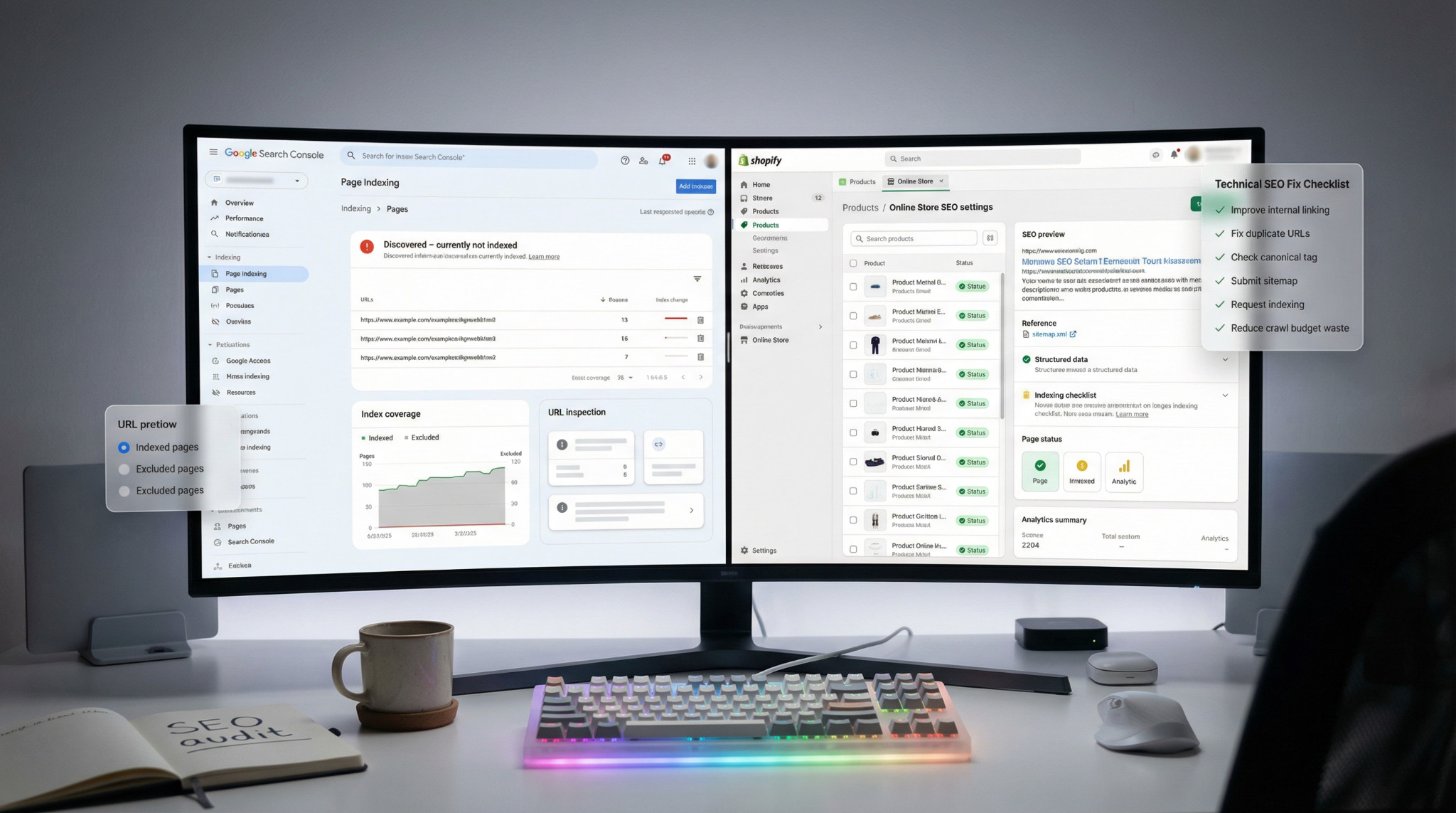
If you need a shopify discovered currently not indexed fix, the good news is that this status is usually solvable. In most cases, Google knows the URL exists (often via your XML sitemap submission or internal links) but has chosen not to crawl or index it yet. That typically points to crawl prioritization problems like crawl budget waste, duplicate content, weak internal linking structure, or page-level quality issues.
Many Shopify store owners see the Search Console status message and assume Shopify is broken. Usually, it isn’t. Google’s documentation explains that “Discovered – currently not indexed” means Google found the URL but hasn’t crawled it yet sometimes because it wants to avoid server overload, and sometimes because the URL doesn’t look important enough to crawl right now.
This guide breaks down the real causes and the fixes that consistently move pages from “discovered” to crawled and indexed especially for Shopify product pages, collection pages, and faceted navigation (filter) URLs.
What “Discovered – Currently Not Indexed” Means on Shopify
Discovered – currently not indexed means Google found your URL (from your sitemap, links, or external backlinks) but has not crawled it yet.
That’s different from:
- Crawled – currently not indexed: Google crawled the page but didn’t add it to the index (often quality/duplication intent mismatch).
- Excluded by noindex: a directive prevents indexing.
- Alternate page with proper canonical tag: Google picked a different canonical URL.
- Page with redirect: the URL goes through 301 redirects (or other redirects).
- Not found (404): the page returns 404 not found.
On Shopify, this status often shows up for:
- Product pages – especially new or variant-heavy ones
- Collection pages – especially thin ones
- Tag pages and filter URLs – faceted navigation
- Duplicate product paths – common in Shopify
- Newly published pages
Key point: the correct fix depends on which type of URL you’re dealing with.
Why Are Shopify Pages Discovered Currently Not Indexed?
Below are the Shopify-specific causes that show up most often in real audits.
1) Low-value or thin content
If a page offers minimal unique value, Google may discover it but delay crawling it.
Common thin-content patterns on Shopify:
- Product pages with near-identical manufacturer copy
- Pages with one short paragraph and nothing else
- Empty collections or collections with minimal unique intro text
- Auto-generated tag pages with no purpose
Fix goal: make the page clearly useful and distinct.
2) Duplicate URLs + canonical URL confusion
Shopify can generate multiple URLs for the same product, such as:
- /products/product-name
- /collections/sale/products/product-name
Even if Shopify outputs a canonical URL, Google still sees duplicate crawl paths. If your internal linking points to mixed versions, Google can waste crawl resources or delay crawling key URLs.
3) Faceted navigation and crawl budget waste
Filters and sorting can explode into many URLs:
- ?sort_by=…
- ?filter.v.availability=1
- tag-like combinations
- collection pagination
If Googlebot crawling is consumed by low-value parameter URLs, your important pages may remain “discovered” but not crawled. This is one of the most common “why won’t Google index my Shopify pages?” causes at scale.
4) Weak internal linking (high crawl depth)
If key products or collections are buried deep (high crawl depth) and rarely linked, Google may only find them via the sitemap then deprioritize crawling.
5) Server response issues / perceived server overload
Google may slow down or postpone crawling when it detects instability, timeouts, heavy scripts, or slow responses. Shopify hosting is generally stable, but themes, apps, and third-party scripts can still cause slowdowns.
Shopify Discovered Currently Not Indexed Fix
Step 1: Use the URL Inspection Tool
In Google Search Console, open URL Inspection and check:
- Is the URL in the XML sitemap submission?
- Is indexing allowed? (no noindex, not blocked by robots.txt directives)
- What is the canonical URL? (Google-selected vs user-declared)
- Any crawl issues? (timeouts, soft 404, redirect chains)
- Is it “Discovered” with no crawl date?
If you skip this, you’ll often “fix” the wrong problem.
Step 2: Prioritize URLs that deserve indexing
Don’t try to force index everything. Focus on:
- Revenue-driving product pages
- Core collection pages (category/intent pages)
- Key landing pages
- Evergreen informational content that supports purchase intent
Usually deprioritize (or intentionally control):
- Faceted filter URLs
- Internal search result pages
- Low-intent tag archives
- Duplicate URL variants
Step 3: Fix thin content
If pages are discovered but not indexed for weeks, content value is a common cause.
For product pages, add:
- A truly unique description (not just manufacturer copy)
- Benefits, use-cases, sizing/material details
- Shipping/returns info (short but clear)
- FAQs
- Reviews (UGC helps reduce “thin content” signals)
- Original images and descriptive alt text
- Comparison sections (vs alternatives, compatibility, etc.)
For collection pages, add:
- A useful intro (who it’s for, what’s inside, how to choose)
- FAQs (“Which size should I buy?”, “What’s included?”)
- Links to related collections and best-sellers
This is one of the fastest levers for “discovered currently not indexed” on Shopify collection URLs.
Step 4: Consolidate duplicates canonical + internal links
Canonical tags help, but you also need consistent internal linking.
Do this:
- Ensure the preferred version is the clean product URL:
https://example.com/products/product-name - Avoid linking internally to:
/collections/*/products/product-name unless there’s a deliberate reason - Audit for app-generated duplicates (bundles, subscriptions, currency variants)
Also check:
- Redirect chains (multiple hops)
- Incorrect canonicals pointing to irrelevant URLs
- Orphaned duplicates with no clear signal
Step 5: Reduce crawl waste from faceted navigation
If Google is spending crawl budget on low-value filter URLs, important pages can stay discovered but not crawled.
Watch for:
- Filter combinations that generate thousands of URLs
- Sort parameters
- Tag-like pages with no search demand
Options (use carefully):
- Limit indexable filter experiences to only those with real demand
- Use internal linking to favor core collection URLs
- Where appropriate, control crawling via robots.txt.liquid (Shopify supports robots
- customization on eligible plans)
Important: Don’t blindly block all parameters if some filters are valuable landing pages.
Step 6: Strengthen internal linking structure
Sitemap discovery helps, but internal linking tells Google what matters.
Improve internal linking with:
- Featured collections/products in main navigation
- “Related products” and “You may also like”
- Editorial blog posts linking to collections/products (contextual links)
- Footer links for top categories (don’t overdo it)
- Fix nofollow links used internally (don’t nofollow important internal links)
A strong linking structure improves Googlebot crawling and prioritization.
Step 7: Validate sitemap + status codes
Shopify’s sitemap is usually at:
- https://yourdomain.com/sitemap.xml
In Search Console:
- Confirm the sitemap is submitted and processed
- Ensure submitted URLs return 200 OK
- Clean up 404 not found URLs that remain in sitemaps or internal links
- Avoid unnecessary 301 redirects in sitemap entries (best practice: sitemap should list final URLs)
If your sitemap is correct but pages remain excluded, it’s often not a sitemap problem, it’s quality/prioritization.
Step 8: Request manual indexing only for priority URLs
You can’t fully “force” indexing, but you can speed up evaluation for key pages.
Use Search Console:
- URL Inspection tool → Request Indexing
Do this for:
- Best sellers
- Core collections
- High-margin product pages
- Newly updated pages you improved substantially
Avoid submitting thousands of URLs fix the underlying patterns instead.
“Crawled – Currently Not Indexed” vs “Discovered – Currently Not Indexed”
People often search both together, but the fixes differ.
- Discovered (not crawled yet): crawl prioritization, crawl budget, internal linking, server responsiveness, URL duplication noise
- Crawled (but not indexed): content quality, intent mismatch, thin/duplicate content, weak authority signals
If it’s “crawled but not indexed,” lean harder into uniqueness, on-page value, and differentiation.
Why Shopify Collection Pages Often Stay Unindexed
If you’re asking “why are my collection pages not indexed in Google Shopify,” typical reasons include:
- Thin collection copy (no unique value)
- Collection overlap (many collections containing the same products)
- Filtered URLs competing with the main collection (duplicate content)
- Weak internal links to the collection
- Low search demand (Google deprioritizes it)
Treat collections like true landing pages, not just product containers.
When the Problem Is Bigger (Hundreds/Thousands of Excluded URLs)
If you see “17k discovered currently not indexed” or hundreds of exclusions, don’t manually request indexing one-by-one.
Instead, classify URLs into groups:
- Keep + improve (core products/collections)
- Canonicalize (duplicate variants)
- Redirect (retired products → relevant alternatives)
- Noindex (low-value utility pages)
- Block crawling (only if appropriate; be cautious with robots rules)
At this stage, a structured technical SEO review is usually faster than trial-and-error. If you want help untangling crawl budget, duplication, canonicals, and Shopify indexing patterns, consider a Shopify technical SEO audit or eCommerce SEO support focused on indexation and crawl efficiency.
A Simple Shopify Indexing Recovery Checklist
Use this checklist to run a practical shopify discovered currently not indexed fix process:
- Inspect the URL in Search Console (URL Inspection tool)
- Confirm indexability (no noindex, not blocked by robots.txt directives)
- Verify canonical URL consistency
- Improve thin content (product/collection)
- Fix duplicate content and internal links to non-canonical paths
- Reduce crawl waste from faceted navigation
- Validate sitemap coverage + 200 status codes
- Request manual indexing for priority pages only
- Monitor changes for 2–6 weeks (sometimes longer on new/low-authority sites)
Final Takeaway
A real shopify discovered currently not indexed fix is rarely a single toggle in Google Search Console. It’s usually the result of improving crawl prioritization signals: page usefulness, canonical consistency, crawl budget efficiency, and internal linking.
If your Shopify pages keep sitting in “discovered” status, start by diagnosing the URL type, then address thin/duplicate content, filter URL crawl waste, and internal linking. Those are the levers that most reliably move the needle.
FAQ
Why are Shopify pages discovered currently not indexed?
Google found the URL (often via sitemap) but hasn’t crawled it yet. Common causes include crawl budget limits, duplicate URLs, thin content, weak internal linking structure, and faceted navigation creating many low-value URLs.
How to fix discovered currently not indexed Shopify?
Use the URL Inspection tool first. Then improve content quality, confirm the canonical URL, strengthen internal links, reduce crawl waste from filters/sort pages, validate sitemap submission, and request indexing for priority URLs only.
Why are my Shopify collection pages not indexed in Google?
Collection pages often remain unindexed due to thin content, duplicate overlap with other collections or filtered versions, weak internal linking, or low search demand. Add unique intro copy, FAQs, and ensure the main collection URL is the one you promote internally.
How to force Google to index my Shopify store?
You can’t fully force it. You can improve the odds by submitting your sitemap, using Request Indexing, building internal links, improving content quality, and earning external backlinks to important pages.
How long does Google take to index a new Shopify site?
It varies from days to weeks (sometimes longer). New sites often need stronger internal linking, clearer canonicals, better page quality, and a reduction in duplicate/parameter URLs before indexing becomes consistent.
Artzen is a performance-driven agency specializing in ecommerce SEO services in India. Backed by years of industry experience and a team of certified, highly skilled SEO specialists, we implement strategies with precision and measurable growth. We prioritize our clients at every stage, delivering results that exceed customer expectations.